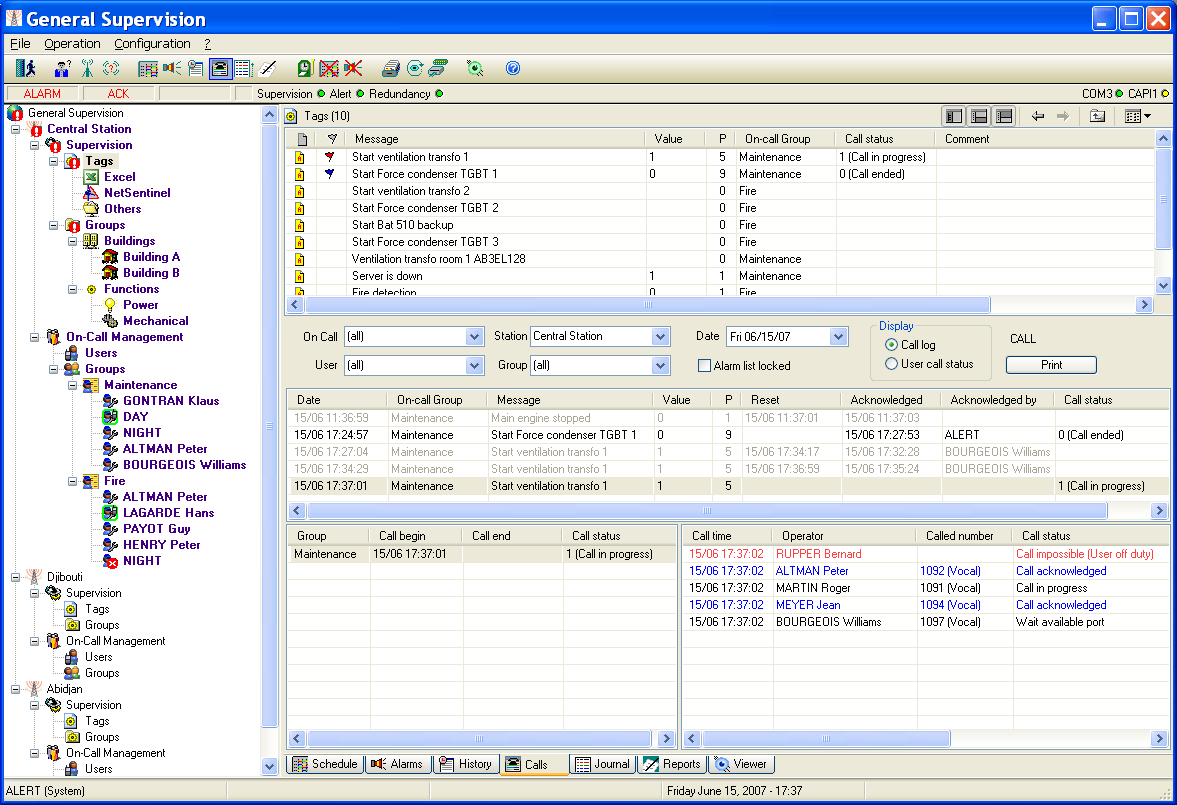
Event Log
To display the journal which contains the event log, select the command " Event log " of the menu "Operation", or just click on the button . On the main screen, to access to the event log, select the Journal tab on the bottom of the screen.
The event log contains the hist ory of all significant actions that intervened at the level of the alarm supervision station and each of the remote stations: operator login, alarms, calls, acknowledgements... This event log is recorded in files (one file per day), located in the "TRACE" subdirectory of the application directory. The date corresponding to a file is coded in its name under the form: TYYMMDD.LOG with YY = year, MM = month, DD = day
Every event is represented in the event log under the form of a time stamped line. The events that can be recorded in the event log are defined in the table of the following page.
Events Parameters Meaning INIT - Application initialization EXIT - Application closure LOGIN <operator> User login LOGOUT <operator> User logout MESSAGE CALL <operator> (<port>:<driver>) Outgoing call for message ALARM CALL <operator> (<port>:<driver>) Outgoing call for alarm ADVISED <operator> Advised operator UNADVISED <operator> Unadvised operator CALL FAIL <operator>: <cause> Call failure ALARM <alarm message> Alarm ALARM ACK <alarm message> / <operator> Alarm acknowledgment 1 NORMAL <alarm message> Alarm reset CALL ACK <operator> / <operator> Call acknowledgment 2 EVENT <alarm message> Simple event CALL RECEIVED <operator> (<port>) Incoming call WARNED GROUP <on-call group> Group call succeeded UNWARNED GROUP <on-call group> Group call failed DEROGATION <on-call group> (-> <team>) Schedule derogation3 END DEROGATION <on-call group> End of schedule derogation TIME CHANGED - System date modified REMOTE LOGIN <operator> (<port>) Login from a remote terminal CONNECT <port> Connection established on a port DISCONNECT <port> End of communication on a port PORT FAILURE <port> Port failure (modem) LINK FAILURE <reference of server or item> Link failure INFO <information> Information message OFF DUTY <operator> Operator set off duty SUBSTITUTION <operator> / <substitute> Operator substituted ALARM MASKED <alarm reference> / <operator Set of alarm mask ALARM UNMASKED <alarm reference> / <operator Reset of alarm mask DISACTIVATION - Alert management deactivation4 ACTIVATION - Alert management reactivation 4 REMOTE LOGOUT <operator> End of remote session ERROR <error description> Error ON DUTY <operator> Operator set on duty CALL DENIED <operator> / <operator> Call denied (negative call acknowledg.) 2 TEAM CHANGEOVER Group <G>, team changeover <A> -> <B> / <operator>, max delay <n> minutes Team changeover team A to team B in group G 5 CHANGEOVER FAILED Group <G>, team changeover <A> -> <B> Team changeover failed team A to team B in group G (timeout expired) 5 END ON-CALL Group <G>, team <E> / <operator> End on-call time group G team E USER STATUS <operator> -> <status> Change of user status (availability) List of journal events
1 If the acknowledgement is issued from an external application, without identi fication of operator, the part "/ operator name" is suppressed. 2 If the call is acknowledged by the called operator himself, the part "/ operator name" is suppressed. 3 If no team is defined in derogation, the part "(-> team)" is suppressed. 4 In redundant mode. 5 If 1st changeover, the part "<A>" is suppressed, if default delay, the part ", max delay..." is suppressed.
When the event log is displayed, the following actions can be performed:
- Selection of the station to control in the Station list.
- Selection of the day to visualize by clicking on the wanted date in the Date list.
- Selection of the type of events to visualize, by clicking the corresponding checkboxes. To consult past events, check the List locked option to disable the automatic scrolling of the list to the arrival of a new event. When this option is not checked, every new event provokes the autom atic display of the event log of the current day in last position (to visualize the new event).
To print the displayed event log, according to the actual date and event type selection, click on the Print button. The printer which will be used is the printer selected by the Print setup... command of the File menu. If no setup has been performed, it is the default printer. To define the printing format of the list, click with the right button of the mouse in the list of alarms, then select the Printing... command in the displayed contextual menu.
The displayed event log can be exported in a file or in the clipboard (to copy it in a spreadsheet for example). To perform this operation, click in the list with the right button of the m ouse, then select the Export... command in the displayed contextual menu. In the displayed dialog box, choose columns to export, the export format (header, separator) and the destination (file or clipboard).