External Applications
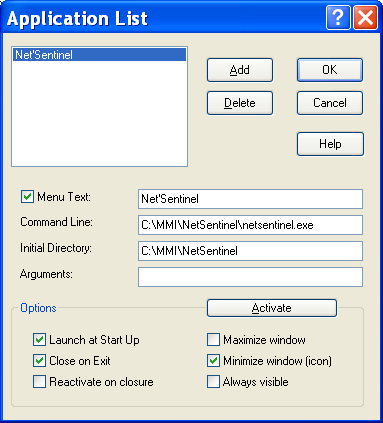
The " Applications" command of the " Configuration" menu allows to define the list of external applications associated with Alert. These applications can be launched directly from the "Operation" menu of Alert or automatically at initialization. They can be applications to supervise or complementary applications.
List of defined applications The list on the top left of the dialog box displays the list of external applications associated with ALERT. Click on the Add button to add an application to the list by browsing files for the wanted application. Click on the Delete button to remove an application from the list. Option Menu Text This option validates the insertion of the selected applicatio n in the Operation menu. The text that is displayed in the menu is the one entered in the associated edit field. When this option is validated, the selection of the corresponding menu command will activate the application or place it to the foreground if it was already active. Command Line This is the command line that will be used to launch the application. This line must contain the full path of the application if its directory is not in the default path. Initial Directory The initial directory is that to use by the selected application.