Communication Drivers
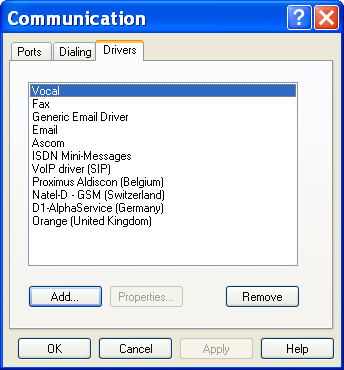
To configure the communication drivers, select the " Communication..." command in the "Configuration" menu or click on the button . On the displayed dialog box, select the "Driver" tab.
The displayed list defines the list of communication drivers that will be proposed when defining a dial number.
The possible actions on this dialog box are:
Button Add... Click on this button to add one or several new driver(s) to the list of used drivers. Button Properties... Click on this button to configure the communication driver selected in the list. Button Remove Click on this button to remove the driver(s) selected in the list. These drivers will no more be proposed when defining a dial number. This dialog box displays the list of installed communication drivers.
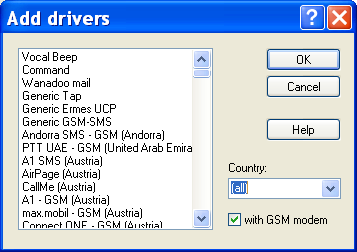
This dialog box allows the selection of one or several communication drivers to add them to the list of used drivers.
The list displays the drivers that have been installed but that are not used. Select in this list the driver(s) that you wish to add then click on the OK button. The following options allow the list of proposed drivers to be reduced:
- Country When the (all) entry is selected, all the unused installed drivers are displayed in the list. When a specific country is selected, only the drivers concerning that country and those that do not depend on a country are displayed.
- With GSM modem When this option is selected, the drivers that use a GSM modem are included in the list.
The "Command" driver is a generic driver which allows commands to be transmitted to an external application during a call cycle. See § 8.9 "Command driver". Consult the corresponding rubrics for the drivers " Email" (§ 8.12), " Beep" (§ 8.10), " Fax" (§ 8.11) and "Alert" (§ 8.13). For the other drivers (SMS, public paging systems, in site paging systems, teleprinter, etc) consult the on line help associated with the driver for more information.