Line Printer
Option Display all items When this option is checked, the value of all the tags of the supervision list are displayed in the list, including those which are not polled (no DDE or OPC tags). Button Start connections This button allows the establishment (or re -establishment) of the connections of the tags designated as polled tags in the supervision list. Note: The establishment of the links is automatically performed at start -up of the application. However, if some links couldn't have been started (closed application) or have been broken since, this command gives the possibility of manual restoration. Button Close connections Click on this button to close all current connections (stop all polling).
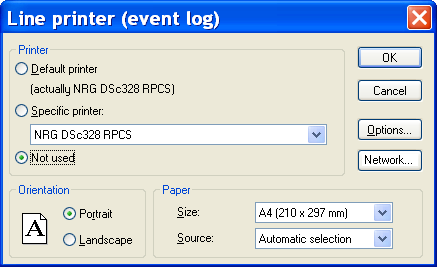
The event log can be sent in real time onto a printer. To select and configure this printer, click on the Line printer... command from the File menu.
Select the desired printer from this dialog box, or choose the Not used option if no line printer is being used. The line printer can be connected to a local port or the port of another PC conne cted on a network. This must be a "line" type printer (dot matrix), and not a "page" type printer (laser). Click on the Options button to configure the printer.