Enable data server logs
To activate logs of a data server, display the data server's properties (right click on the data server, then Properties or double click).
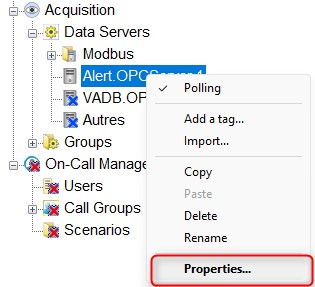
Display the advanced tab
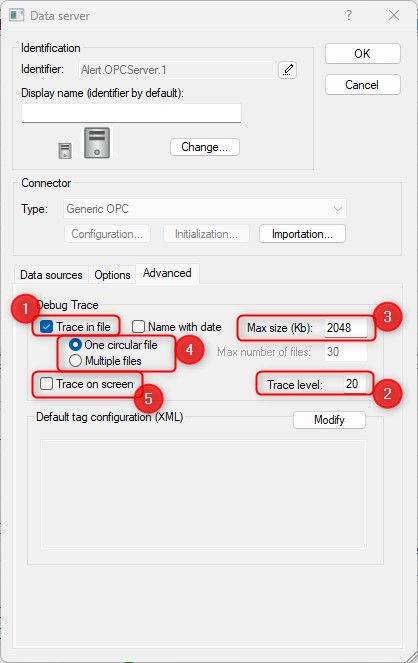
You have to check the option Trace in file (1) and put a Trace level of 20 (2).
You can also modify the size of the file (Max size) (3), have one circular file or Multiple files (4).
It is also possible to display a screen for the trace (5)
Validate by OK (2 times).
The trace for this dataserver are activated.
The logs files are in the directory c:\programData\Micromedia\Alert\Logs.
The name of the files contains the name of the dataserver
Sample for the Alert.OPCServer.1 dataserver : alert.opcserver.1.log