Driver Configuration
The driver can be configured from its property window, accessible from Configuration → Communication → Drivers tab.
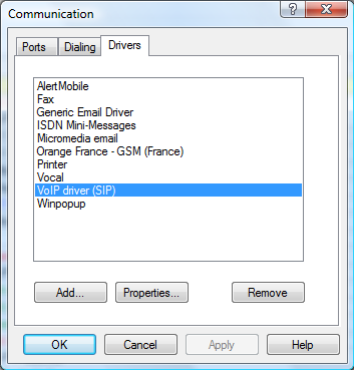
Select the driver VoIP Driver (SIP) and click Properties. The driver property window will appear.
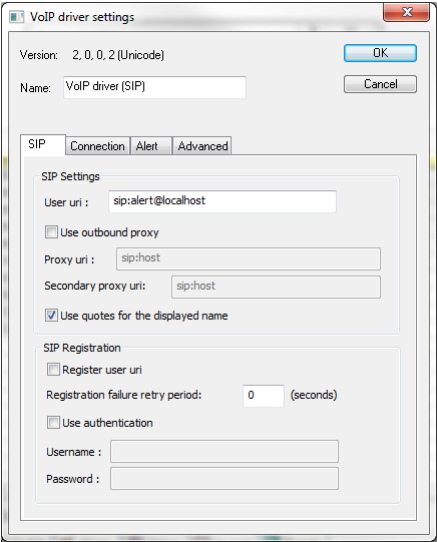
There is a tab for each option category.
SIP Tab
Defines the SIP connection type. Three configurations are supported:
Two proxy addresses can be added; the same credentials are used for both. If registration is enabled and the primary proxy fails, the system switches to the secondary. When registration is not required, failover occurs on request timeout (408 errors).
Caller Name Identification uses quotation marks to send text messages on SIP phones.
Connection Tab
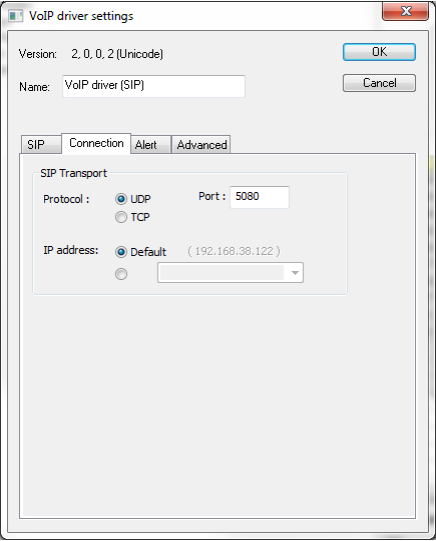
Configures the IP connection used for SIP calls:
- Communication protocol
- IP address to use
- Network interface card for calls
Alert Tab
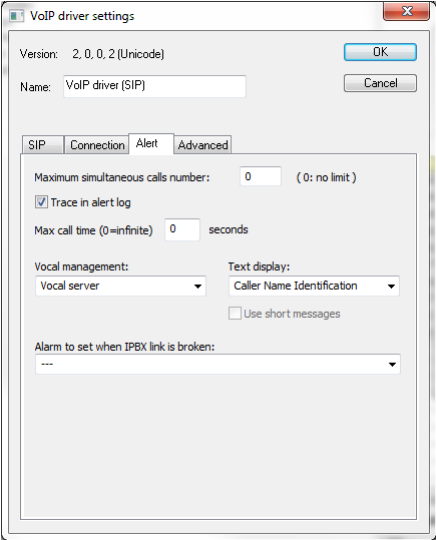
Controls how the IPBX interacts with ALERT:
- Maximum simultaneous calls
- Message trace logging to the event log
- Maximum call duration
- Vocal management (server connection, vocal beep, or silence)
- Caller Name Identification (display caller name or alarm message)
- Instant messaging (SIMPLE protocol)
- Sender name settings
- Call acknowledgement string
- Automatic acknowledgement on server message deposit
- Internal alarm on broken IPBX link
Advanced Tab
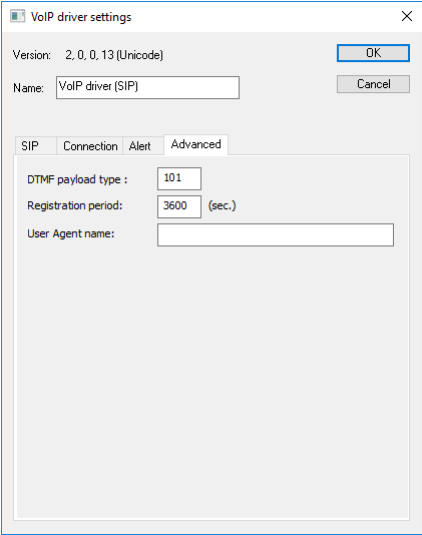
Contains additional driver-specific properties.